Enter Password
Framing progression in a traditionally infinite game
Traditional crash games are simple, fast, and often infinite.
Payout Pilot introduced a defined 100x endpoint, changing how players perceive progression and risk.
I proposed introducing a visible end state so the game felt completable, rather than endless. The intention was to create a clear target, encouraging players to hold out for a defined outcome rather than cashing out purely reactively.
To support this, I suggested adjusting the win frequency so that reaching the endpoint would feel rare but achievable, potentially occurring a small number of times per hour. This was designed to reinforce the idea that the game could be completed, while still maintaining tension.
I also proposed a progress bar to make this progression visible during gameplay, helping players understand how close they were to the endpoint.
The challenge was to introduce more structure and control without making the experience feel slower or more complex.
Designing for different player behaviours
Players approach crash games in different ways.
Our research showed that some prefer reactive play, cashing out manually in the moment.
Others prefer more controlled strategies, using features like auto cashout to reduce risk.
The product needed to support both behaviours without overwhelming the interface.
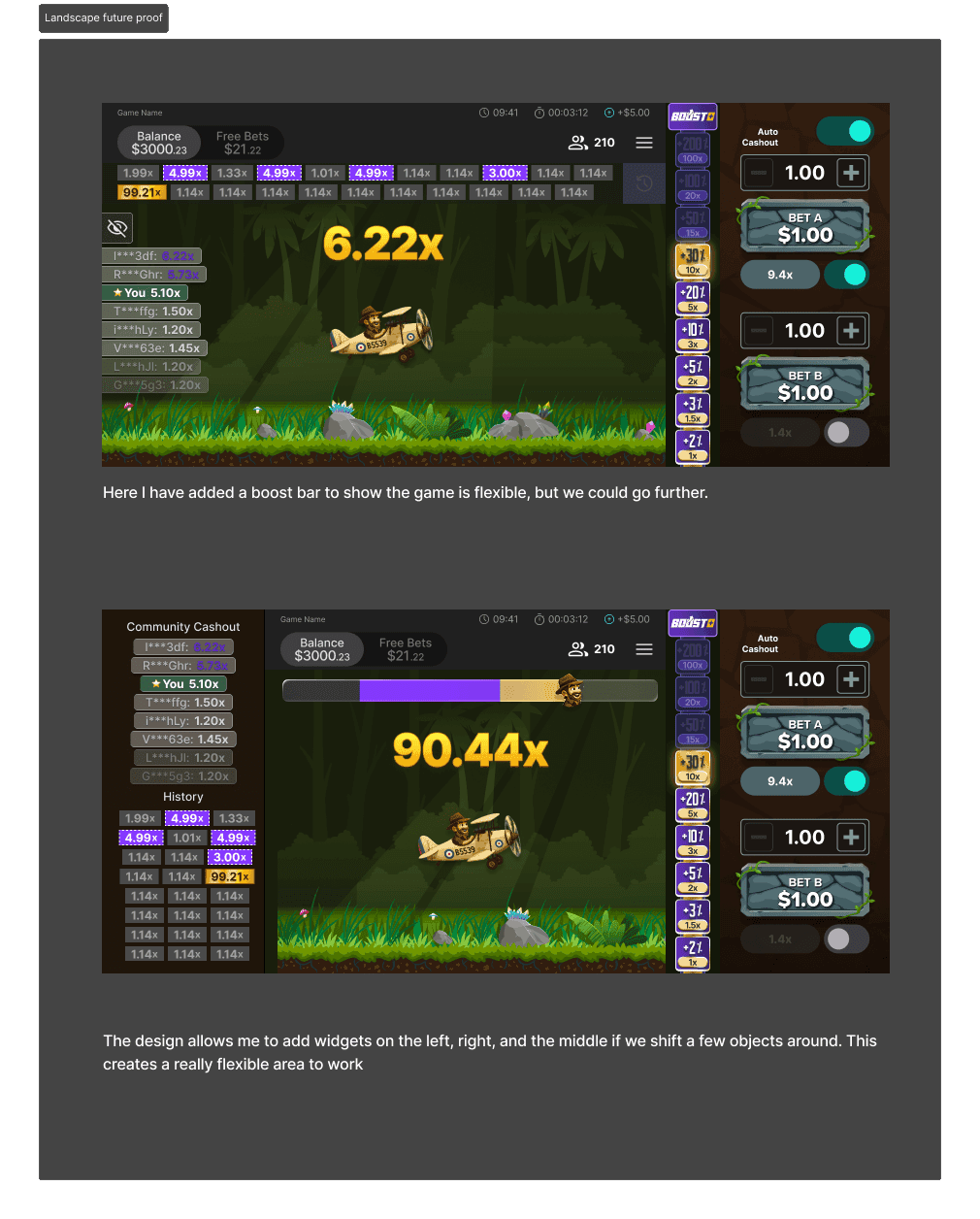
Designing for landscape across devices
Previous crash games were designed primarily for mobile, which led to issues when scaled to larger screens.
On desktop and tablet, the client UI would compress the game into a portrait layout, making the experience feel squashed and unbalanced. This reduced clarity and made the product feel less polished.
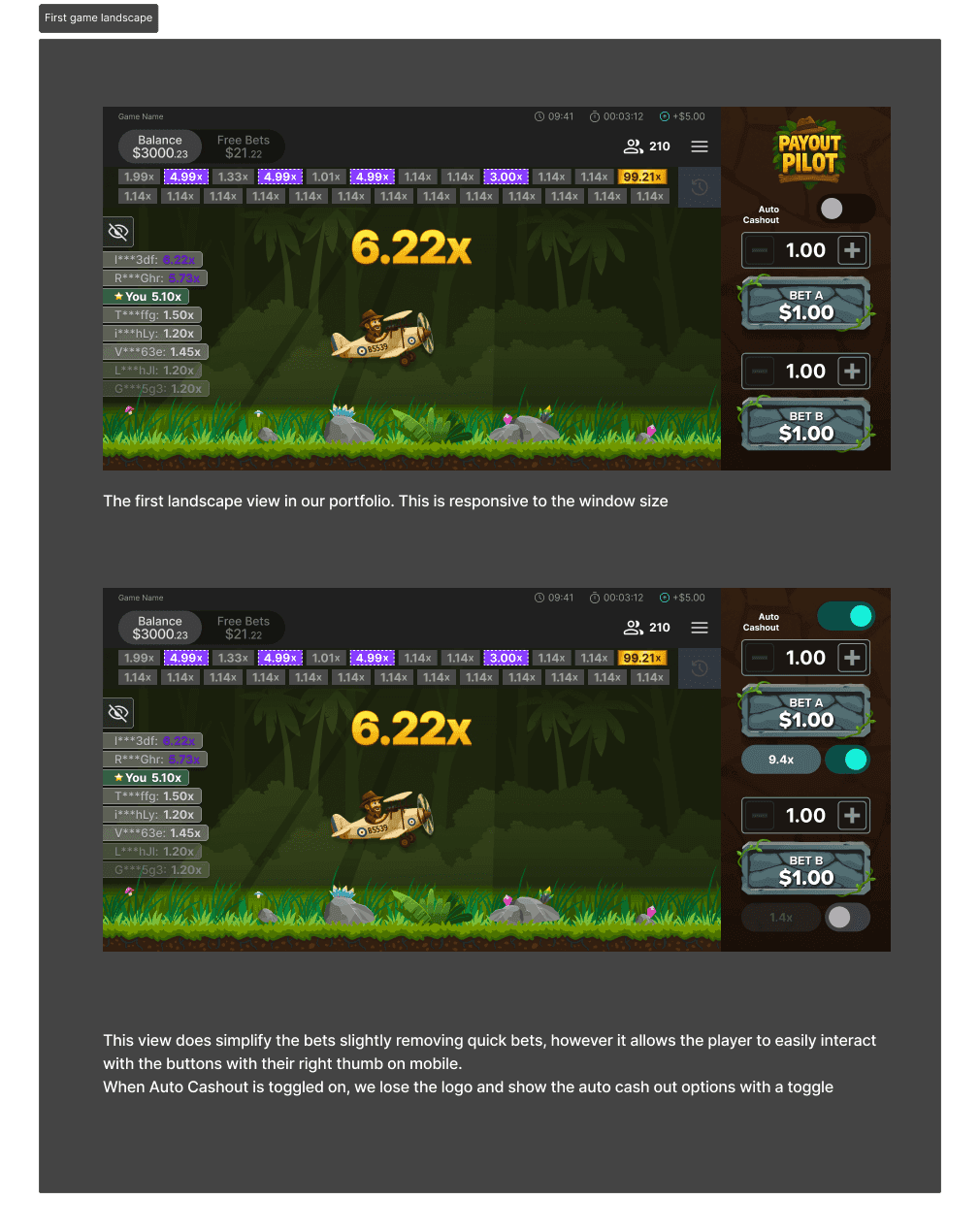
To address this, I worked closely with the development team and product owner to design the first landscape version of the game.
The goal was to create a layout that:
• Scales cleanly across mobile, tablet, and desktop
• Preserves visual hierarchy and gameplay clarity
• Avoids compression caused by external UI constraints
This resulted in a more balanced and professional experience across all devices, while maintaining consistency with the core gameplay.
Designing a flexible landscape layout for future features
The landscape layout was designed to support additional UI elements without compromising the core gameplay experience.
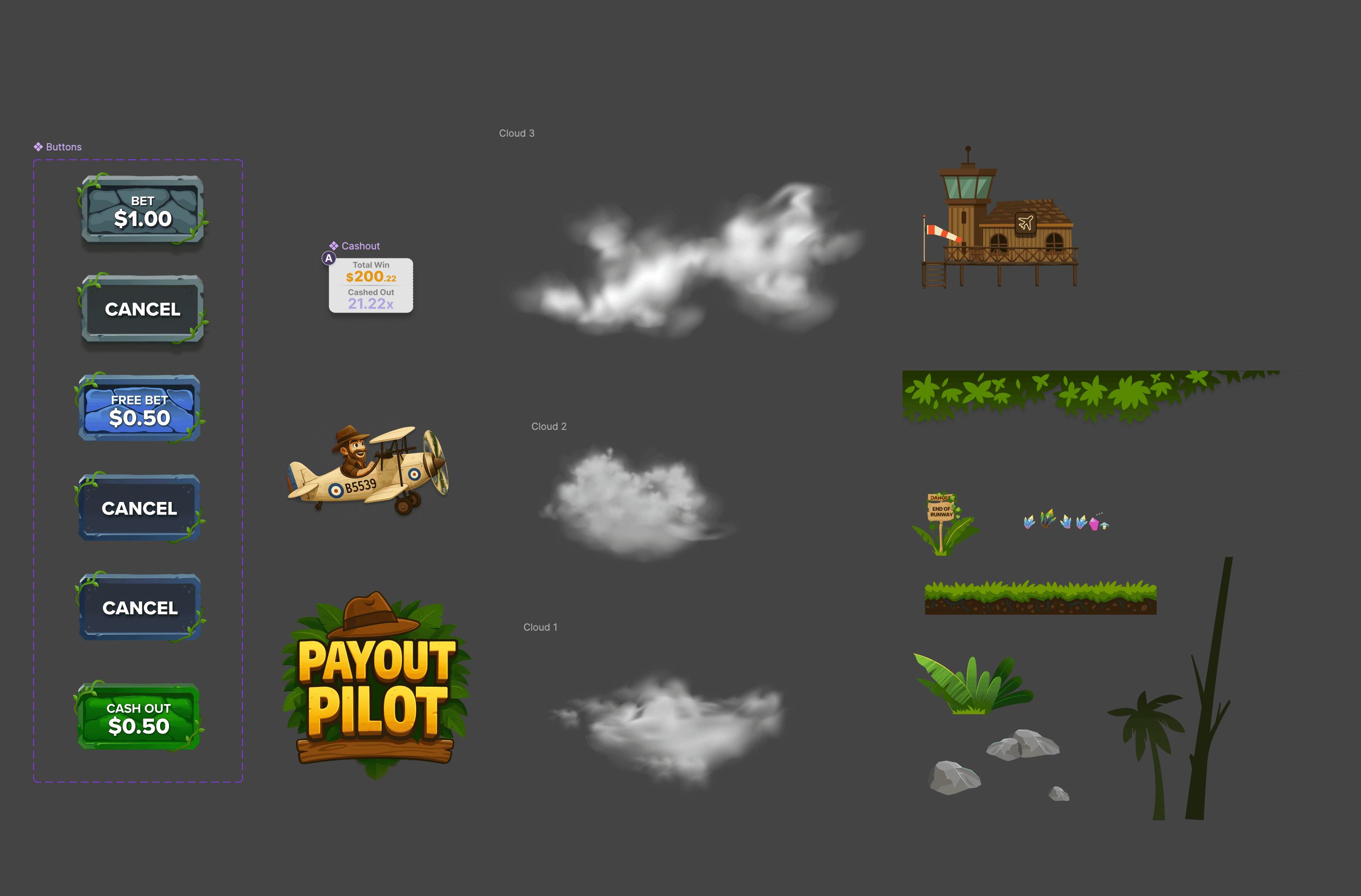
Betting and free bet differentiation
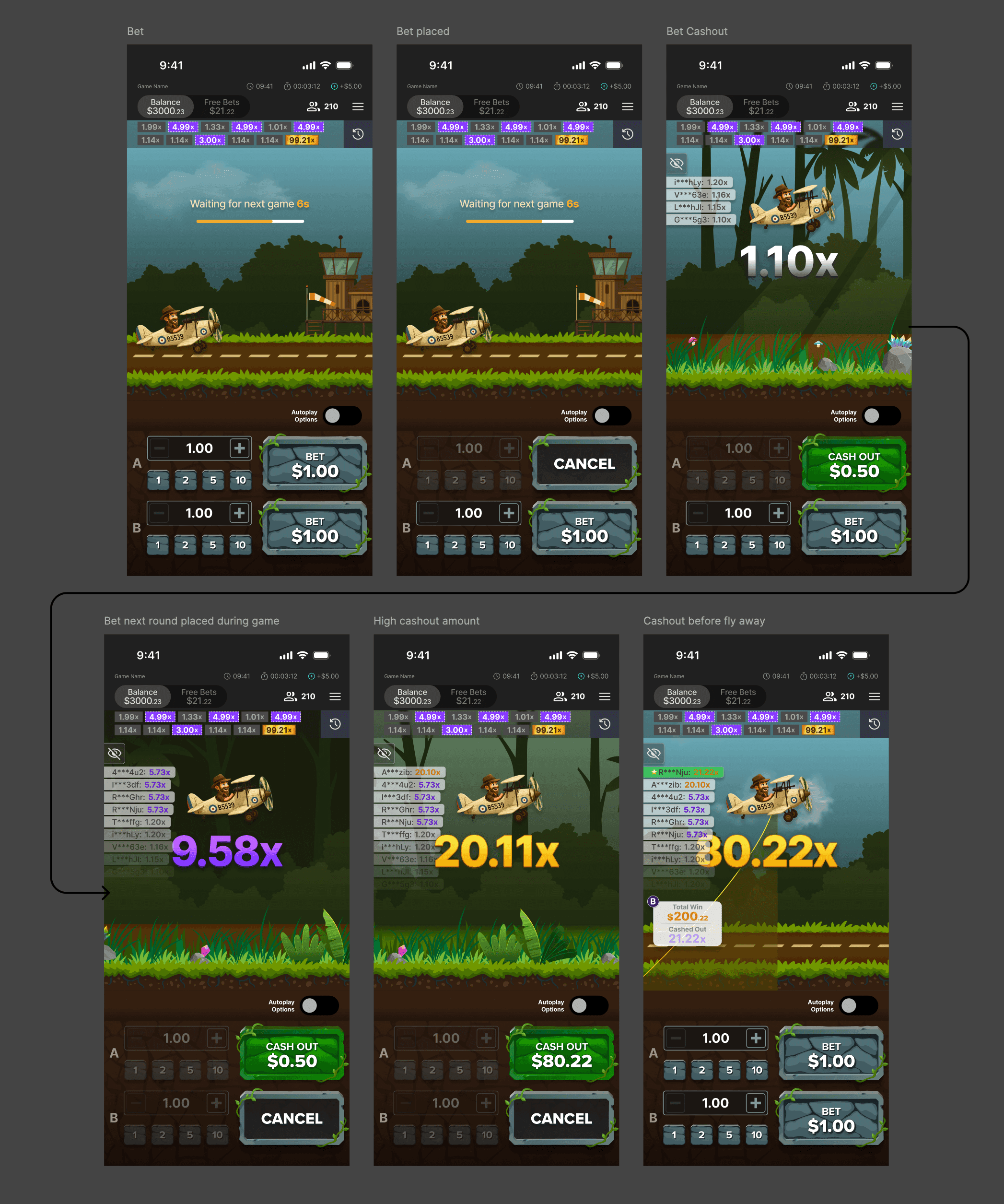
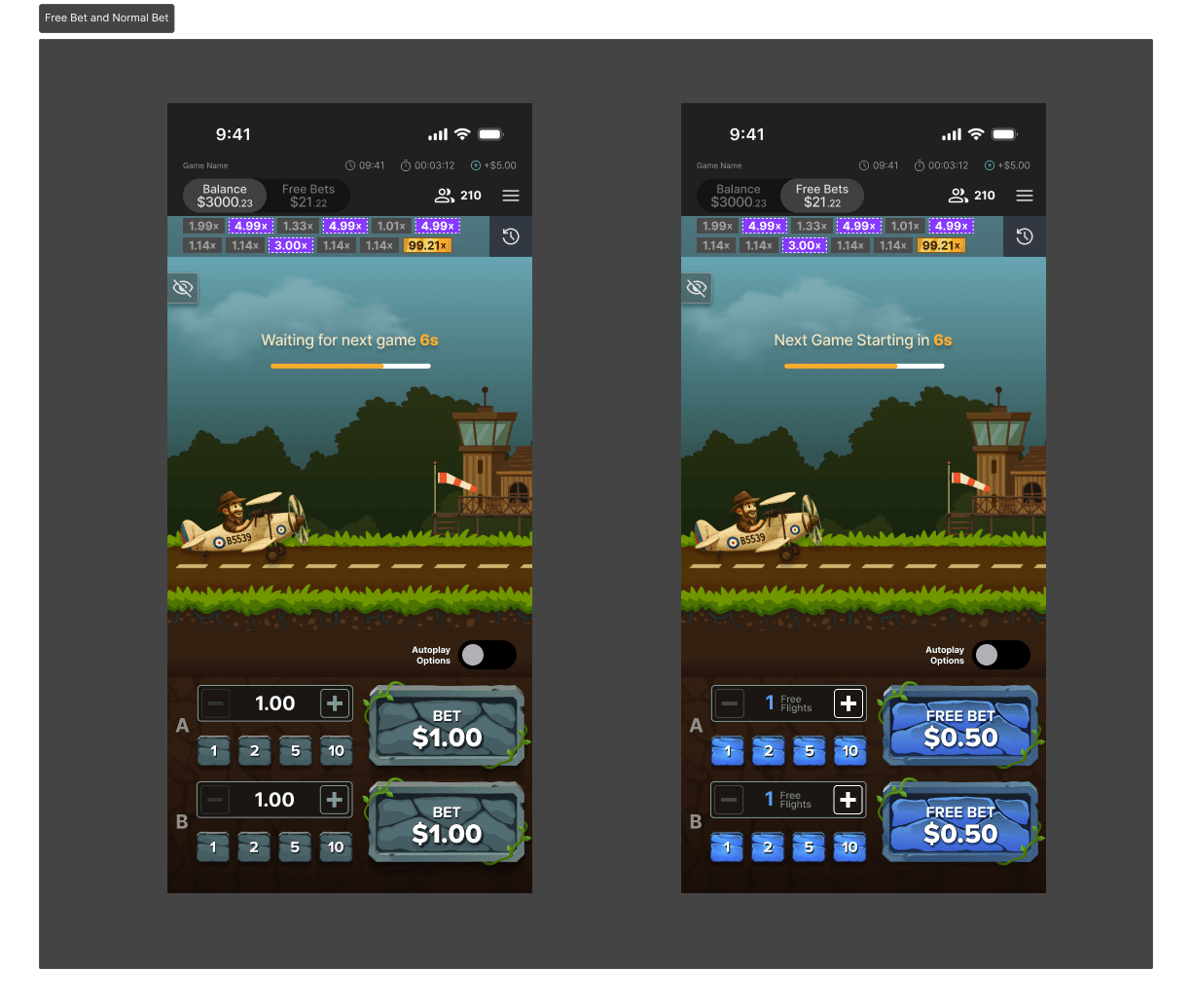
A clear distinction was introduced between real bets and free bets.
• Real bets use a stone-like grey treatment
• Free bets use a blue colour system
This allows players to quickly understand what type of bet they are placing without additional explanation.
Clarity at this level is essential in fast-paced gameplay.
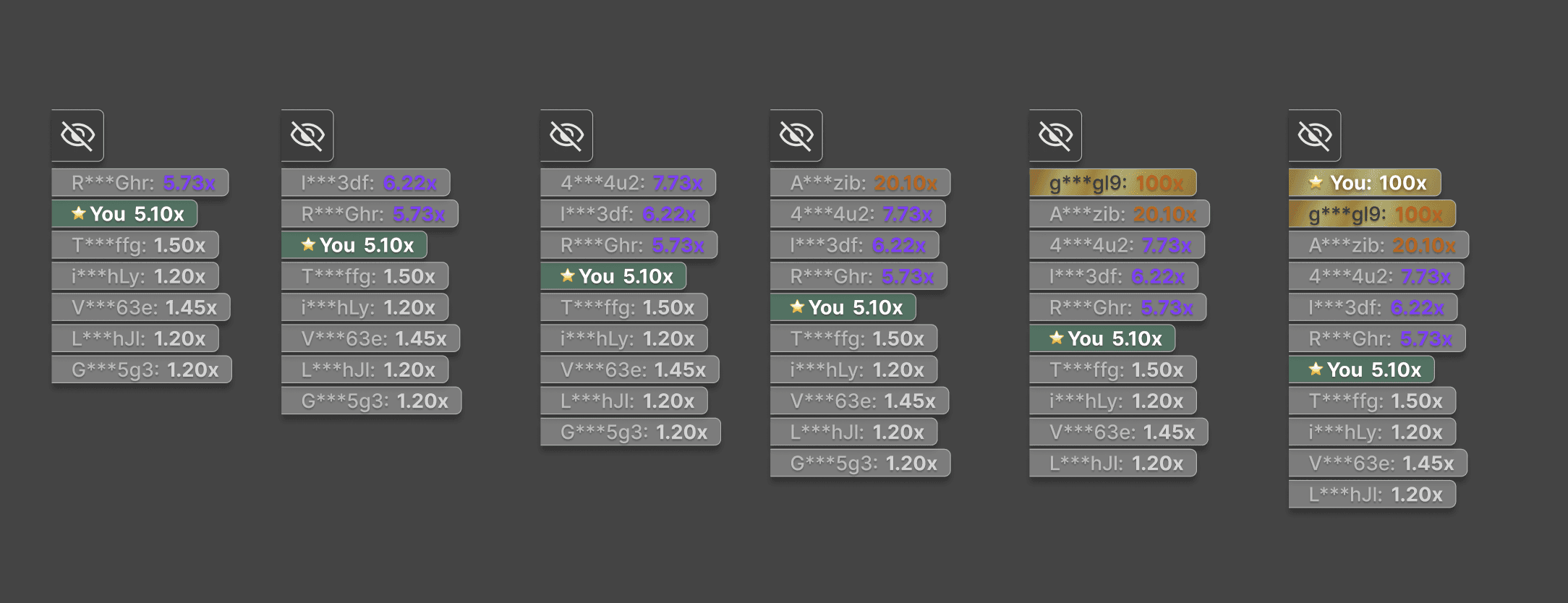
Multiplier and history colour system
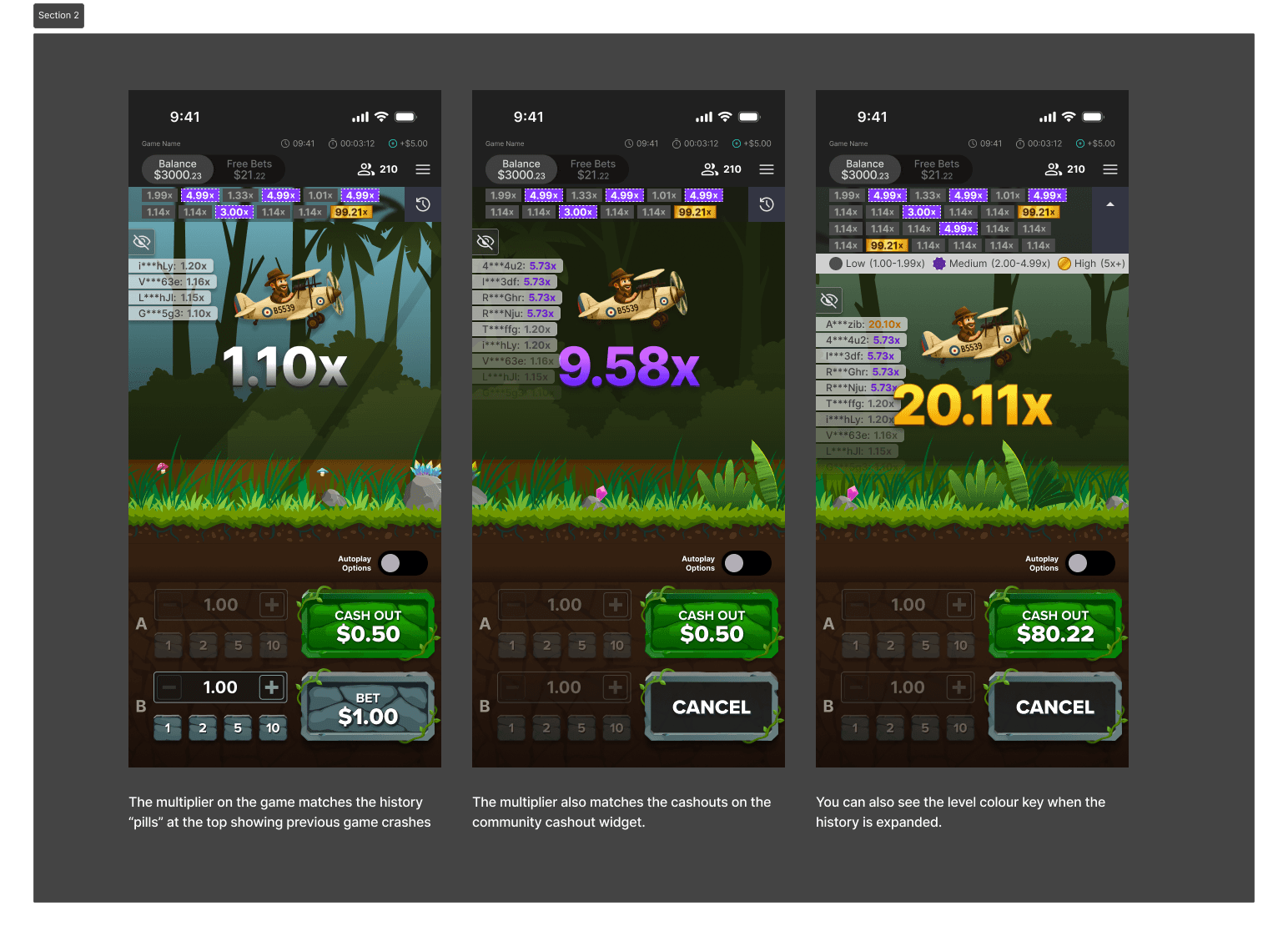
The multiplier colours were aligned with the history system to create a consistent visual language.
• 1x to 1.99x → Grey
• 2x to 4.99x → Purple
• 5x+ → Gold
The history pills were designed with accessibility in mind:
• Grey uses a solid fill
• Purple includes a dotted white outline
• Gold uses a solid brown stroke
This ensures players can differentiate outcomes even with colour vision deficiencies.
On the main gameplay view, colours were applied more subtly without outlines to avoid distracting from the core experience.
Adding subtle gameplay cues
Small environmental details were introduced to add character and subtle behavioural cues.
For example, elements like the monkey appear at consistent points during gameplay.
This creates moments players may begin to recognise and react to, adding a layer of perceived pattern and engagement.
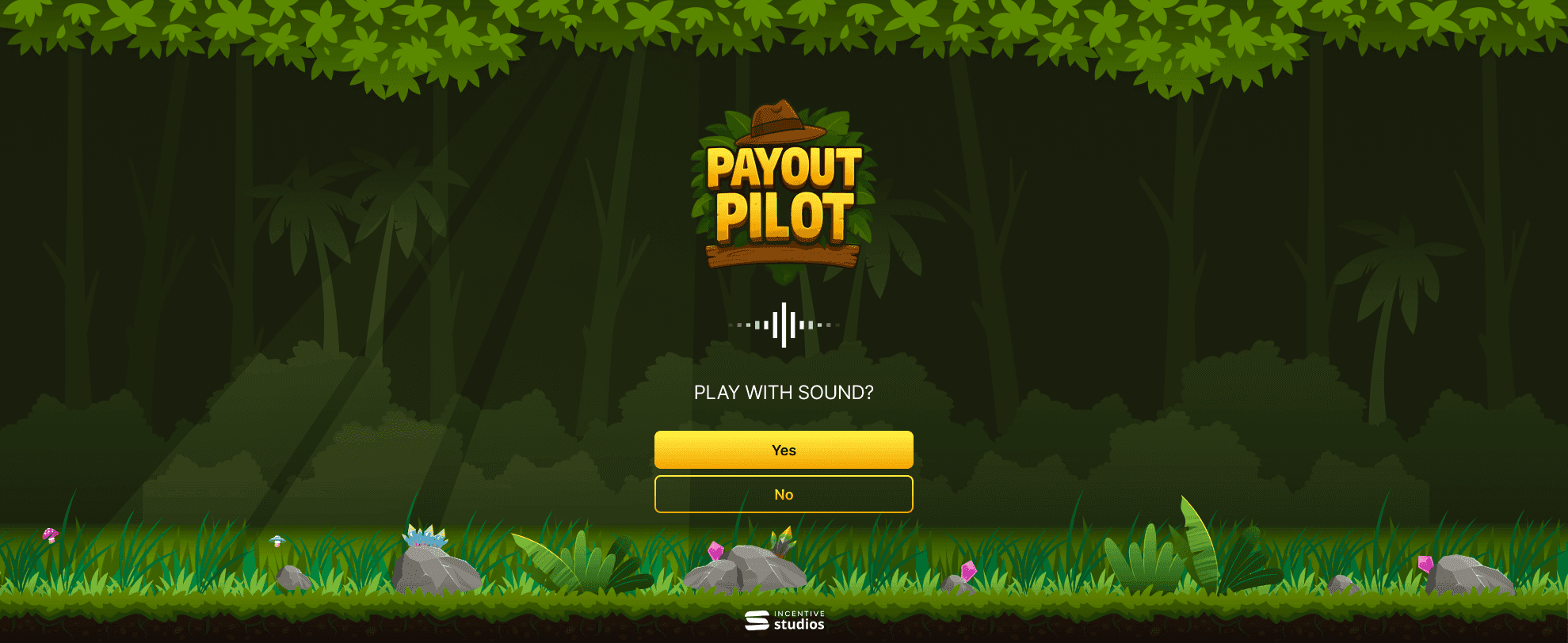
Sound and immersion
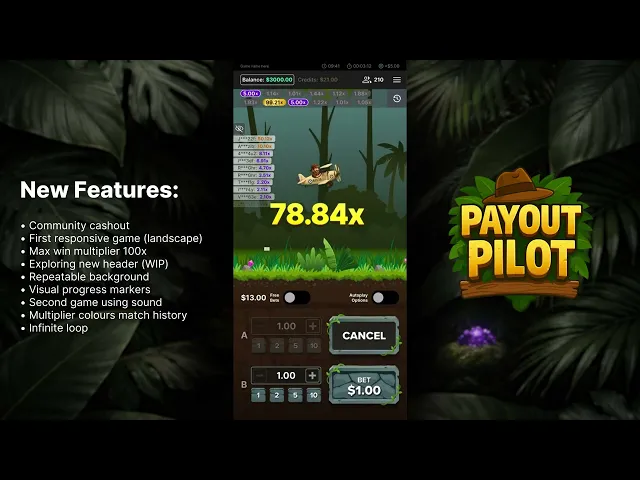
This was the second game in the portfolio to introduce sound.
Building on previous learnings, sound was used to reinforce key moments and add depth to the experience.
The combination of animation, audio, and visual feedback creates a more immersive and engaging crash game compared to traditional formats.
Visual system and asset creation
Community and social features
Reflection
This project demonstrates:
• Designing for different player behaviours
• Building a consistent visual and interaction system
• Balancing clarity with increased visual fidelity
• Introducing structure into traditionally unstructured gameplay
The result is a crash experience that maintains familiarity while offering a more engaging and controlled player experience.